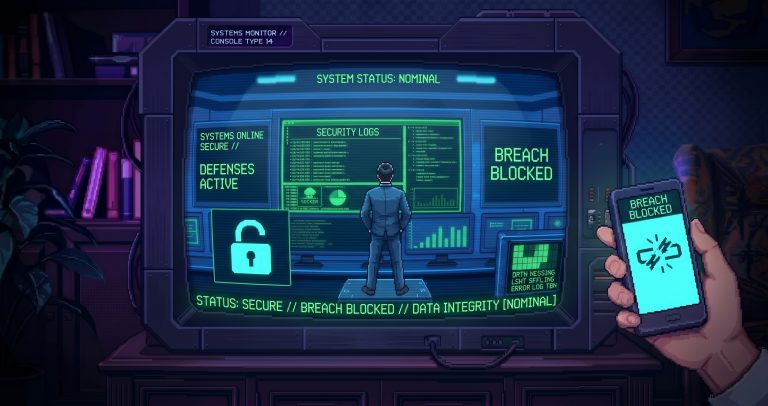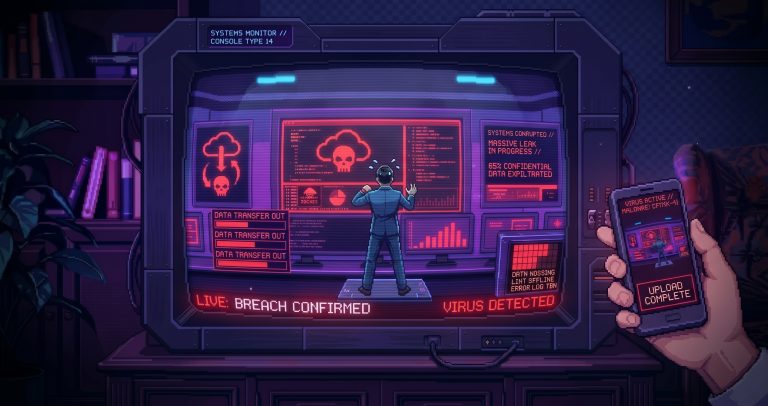







Let’s start with the most important thing: How can you avoid becoming a desirable target?
It is a common misconception that hackers only target large companies or government organisations. In reality, cybercriminals look for the most vulnerable systems, regardless of a company’s size. It is therefore important for every business to take basic steps to ensure its IT security.
In the following paragraphs, we’ve put together a few general but useful tips for you, which you might find helpful when reviewing how your organisation currently operates.
Passwords: Let’s not leave it up to the users!
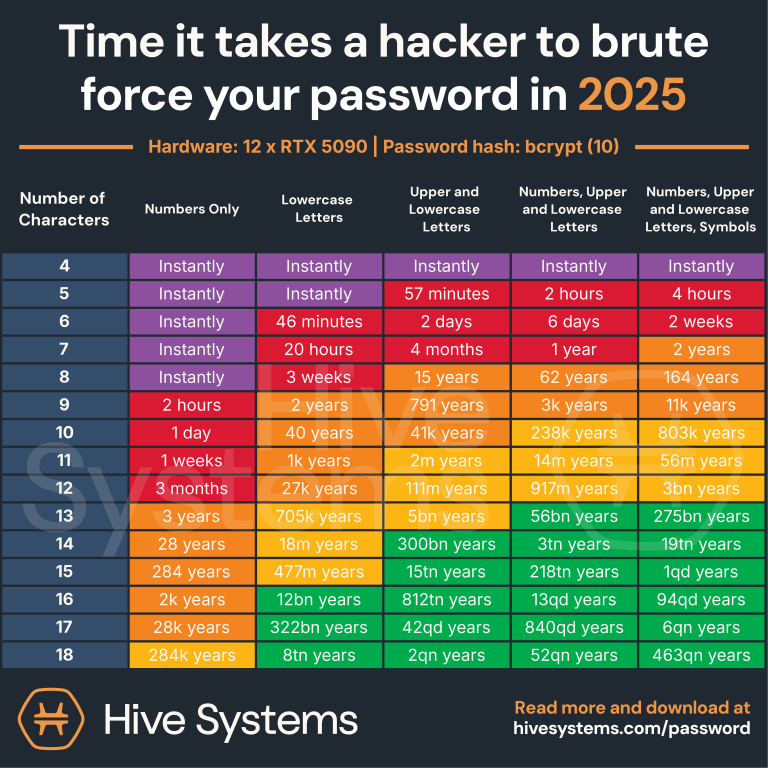
Password management is one of the cornerstones of IT security, and this task should not be left solely to users. A good password today includes the following elements:
- At least 12–16 characters long,
- Both upper- and lower-case letters,
- Use of numbers and special characters,
- A unique password for each system, so that if one password is compromised, it does not jeopardise access to the others,
- It is a good idea to change your passwords from time to time.
This fundamental principle is also given prominence in a number of international security standards, such as ISO 27001. Although it is just one small pillar in a complex security framework, it represents a major step towards ensuring the company’s security in its own right.
Fun fact: A password written on a piece of paper may be more secure than one stored on your desktop or in an unencrypted text file, which an attacker could easily access via the network. This clearly illustrates that the proper management of passwords depends not only on their complexity, but also on how they are stored and managed.
Where else but in a text file?
In today’s digital age, the use of password manager software makes this process considerably easier and more secure. Popular solutions such as LastPass, 1Password and Bitwarden are available, which allow users to create and securely store complex, unique passwords all at once, without having to memorise them.
Two-factor authentication (2FA): Don’t miss out!
Two-factor authentication (2FA) is a security method that verifies a user’s identity based on two different factors. This is usually a password (something you know) and a second factor, such as a one-off code generated by a mobile app (something you have) or a biometric identifier (something you are). The aim of 2FA is to make life significantly more difficult for hackers, because even if a password is compromised, they cannot access the account without the second authentication step. (A more advanced form of this is MFA, which involves two or more forms of authentication.)
2FA is available in several forms, the most common of which are:
- SMS-based codes sent to your mobile phone
- Codes generated by mobile apps (e.g. Google Authenticator, Authy, Microsoft Authenticator, etc.)
- Hardware security keys (e.g. YubiKey, Google Titan Security Key, etc.)
The use of mobile apps is particularly recommended, as they are more secure than text messages, which are easier to intercept.
However, it is important to understand that 2FA does not provide protection in every case. One often underestimated security vulnerability is the handling of sessions stored in the browser. An attacker may be able to take control of these, thereby bypassing both the password and 2FA protection. It is therefore worth
- log out regularly from all your important online accounts, particularly when using public or shared devices,
- delete your browser’s cookies, which store session information, from time to time
These simple but important habits further enhance online security and complement the protection offered by 2FA.
Firewalls, antivirus software and the three-letter agencies: The essentials you can’t do without
The foundations of IT security are often laid by tools such as antivirus software, malware filtering, firewalls, IDS (Intrusion Detection System) and IPS (Intrusion Prevention System). These help to:
- Detect and remove malicious software (antivirus),
- To regulate network traffic and block unwanted connection attempts (firewall),
- Detect (IDS) and prevent (IPS) intrusion attempts
It is important to note that, although a user who is well-trained in security principles, together with the operating system, can provide a good level of security, unfortunately this is often not the case. Moreover, even our best-trained users can lose their focus in a stressful situation.
The user themselves is often the greatest risk, so we cannot rely solely on them to make decisions regarding our security; a well-regulated system can eliminate many accidental errors.
It is therefore important that the
- make sure your antivirus software is up to date,
- make sure your firewall settings allow what you actually need,
- There should be network monitoring to keep an eye on the running processes.
There is no such thing as perfect protection, but these measures can significantly reduce the success rate of attacks.
Recommended:
- Your critical on-premises or cloud systems should be well secured, ideally equipped with some form of perimeter defence, as in many cases they do not move across the network and are therefore easy targets.
- Client machines, however, are targeted precisely because of their portability – at airports, in cafés, and even on home networks. If these lack adequate client-side protection, malicious actors can easily gain access to our company’s network by compromising them.

Update: Don’t let out-of-date software put you at risk!
It is important that all the company’s systems are up to date, or at least reasonably up to date, so it is worth implementing a centralised update solution.
If we seriously neglect certain systems and software, the likelihood that more and more people will try to exploit their known vulnerabilities against us increases significantly.
Important points to bear in mind regarding updates
- Updates not only introduce new features, but also provide security patches that prevent attackers from gaining access to the system by exploiting known vulnerabilities.
- It is not enough simply to update the operating system. Most vulnerabilities arise through web browsers, email clients and other frequently used software.
- A major advantage of centralised updates is that even software which users may have overlooked or not used is updated in the background under the supervision of a system administrator. This helps to minimise the risk of leaving „backdoors” in our network through which attackers could gain access
- We do not always recommend installing every update immediately on „day 1”, particularly in the case of critical servers, network devices or business-critical software. Where possible, it is advisable to test these updates in a test environment.
In this way, the centralised, well-managed update system becomes the next pillar of security.
Final thought: Is the best defence … being prepared?!
The points above are, of course, only the most important and general ones, but by following them you can already make significant progress towards improving your online security.
And finally: don’t wait for something to go wrong. The best defence is proactive IT security, which leaves attackers no chance! Unfortunately, by the time something goes wrong, the damage is usually so extensive that it’s not worth waiting. Your investment in security will always be less than the damage you could suffer without it.
If you enjoyed this post, please follow our page. And if you’re feeling a bit lost when it comes to this topic, please feel free to contact us at manawize… and we’d be happy to assist with our security audit and, if required, with the design and implementation of the systems mentioned.